Live WooCommerce gallery demo
Ultimate Product Gallery for WooCommerce
Show shoppers the right media at the right moment: images, video, PDFs, variation media, zoom, and builder-ready layouts without a heavier product page.
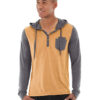
UPG Demo – Teton Hoodie Detail
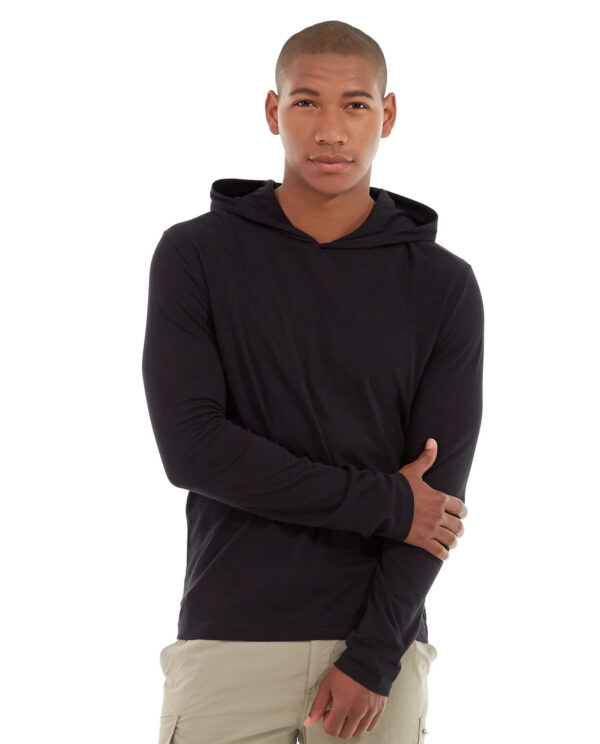

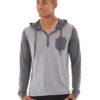
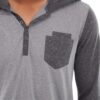
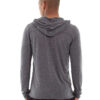
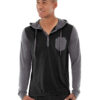
Everything a serious product page needs, visible in one demo.
Start with the clean default gallery, then walk through the edge cases store owners need to trust before installing.
Let shoppers browse, inspect, and trust faster.
Each demo isolates a buying moment: visual browsing, close inspection, motion, documentation, and layout fit.
Fast thumbnail scanning
Bottom, top, left, and right thumbnail rails keep dense media sets usable without burying the product page.
View exampleZoom without friction
Hover zoom and lightbox inspection help shoppers verify texture, finish, scale, and small product details.
View exampleProof inside the gallery
Video and PDFs sit beside product images, so manuals, demos, and specs stay in the purchase flow.
View exampleChoose the scenario that matches your store.
Use the catalog as a guided tour: start with the default, then test the media and layout pattern your product pages need.
- LayoutsScroller and grid
- MediaImage, video, PDF
- Use cases20
UPG Demo – Crown Summit Backpack
A real backpack-style product gallery using coherent pack images, bottom thumbnails, hover zoom, and lightbox.
Open live demoUPG Demo – Teton Hoodie Detail
Hoodie detail views and color variants with left thumbnails, compact thumbs, and stronger zoom.
Open live demoUPG Demo – Training Tank Variants
Color and angle variants for a training tank gallery with permanent hover selection in grid layout.
Open live demoUPG Demo – Yoga Kit Silent Loop
Self-hosted yoga video loop followed by matching yoga and fitness equipment images.
Open live demoUPG Demo – Yoga Kit Video With Controls
User-initiated yoga explainer video with controls, paired with matching yoga and fitness product images.
Open live demoUPG Demo – Backpack YouTube Demo
A real backpack product demo from YouTube with coherent backpack product images.
Open live demoUPG Demo – Backpack Vimeo Film
A real backpack product film from Vimeo with matching backpack product images.
Open live demoUPG Demo – Fitness Kit Spec Sheet
Fitness equipment images with a real PDF slot inserted into the right-thumbnail scroller.
Open live demoUPG Demo – Foam Yoga Brick
Single-image yoga prop gallery with no zoom, lightbox, or hover interaction.
Open live demoUPG Demo – Backpack Hidden Items
Backpack images with hidden extra pack views and a hidden PDF fallback check.
Open live demoUPG Demo – Jacket Top Thumbnails
Jacket image set with top thumbnails only, isolating top-rail behavior without grid layout changes.
Open live demoUPG Demo – Grid Yoga Video And Products
Grid layout that mixes a self-hosted yoga video with matching yoga and fitness product images.
Open live demoUPG Demo – Performance Pants And PDF
Grid layout that inserts a spec-sheet PDF between coherent performance pants product images.
Open live demoUPG Demo – Accessories With PDF
Bottom-thumbnail scroller with accessories imagery and a PDF in the gallery.
Open live demoUPG Demo – Left Thumbnails Yoga Video
Left-aligned thumbnails with self-hosted yoga video plus matching yoga product images.
Open live demoUPG Demo – Right Thumbnails Tee Reference
Right-aligned thumbnails with a coherent tee image set and no PDF or video media mixed in.
Open live demoUPG Demo – Hidden Yoga Video Item
Visible yoga product images with a hidden self-hosted video slot for moving-media hidden-item behavior.
Open live demoUPG Demo – Hidden Jacket PDF Item
Visible jacket images with a hidden PDF slot, checking hidden-item behavior when document media is part of the plan.
Open live demoUPG Demo – Inline-Only Accessories
Accessories gallery with zoom and lightbox disabled so inline-only navigation uses realistic product media.
Open live demoUPG Demo – Hoodie Permanent Hover
Hoodie gallery with permanent hover selection in scroller layout.
Open live demoSee how your WooCommerce product pages could feel after the swap.
Start with the default demo, then compare layout, video, PDF, hidden-item, and single-image behavior before choosing your store setup.